Support
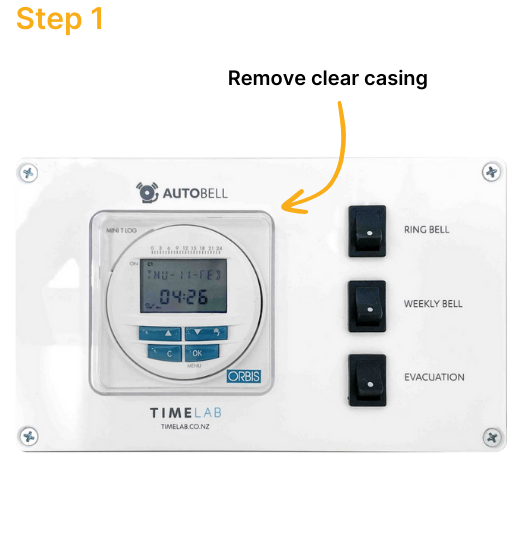
Step 1. Remove the clear case from the ORBIS programmer.
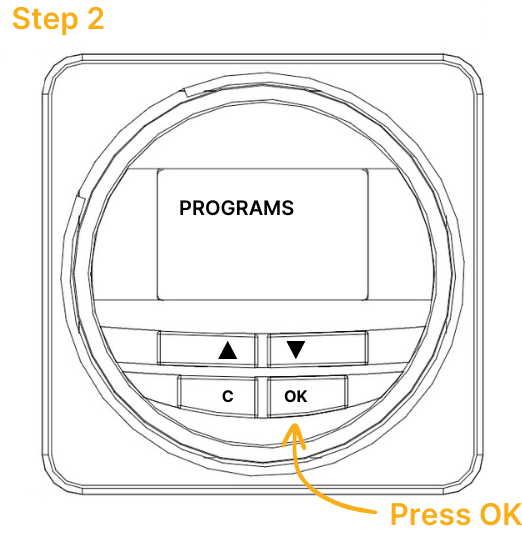
Step 2. Press OK and "Programs" will appear
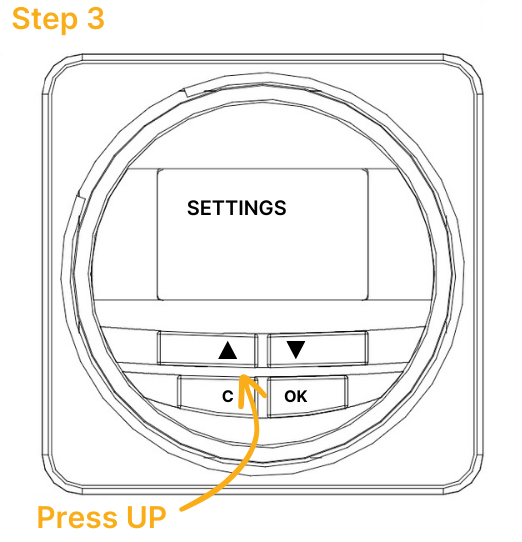
Step 3. Press UP or DOWN until SETTINGS appears on the screen
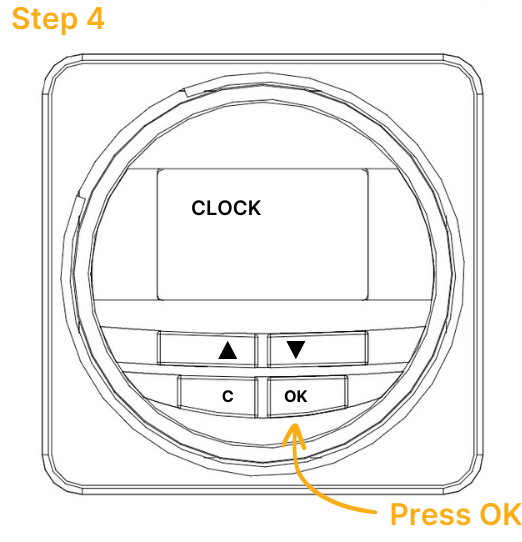
Step 4. Press OK and CLOCK will appear on the screen
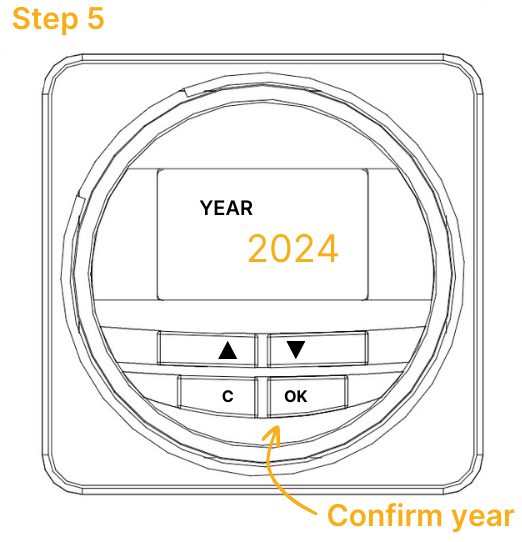
Step 5. Press OK to confirm the year (you shouldn't need to change this)
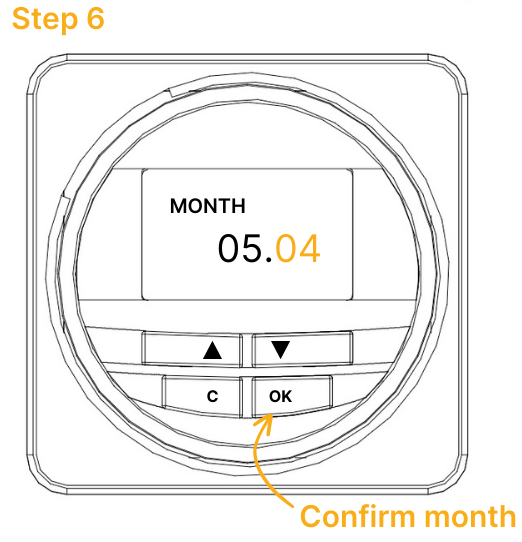
Step 6. Press OK to confirm the month (you shouldn't need to change this)
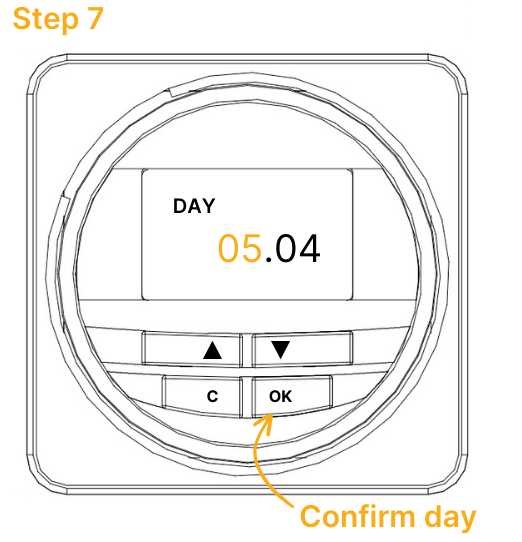
Step 7. Press OK to confirm the day (you shouldn't need to change this)
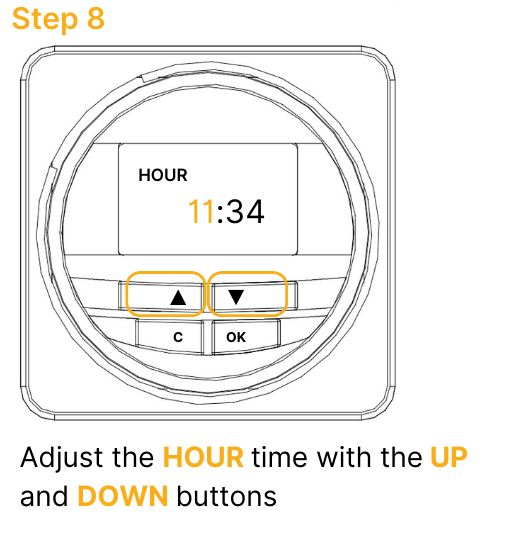
Step 8. CHANGE HOUR HERE - Adjust the HOUR time with the UP and DOWN buttons
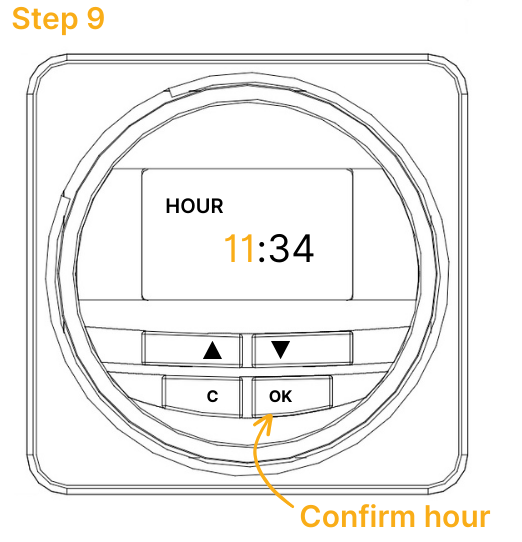
Step 9. Press OK to confirm the new HOUR setting
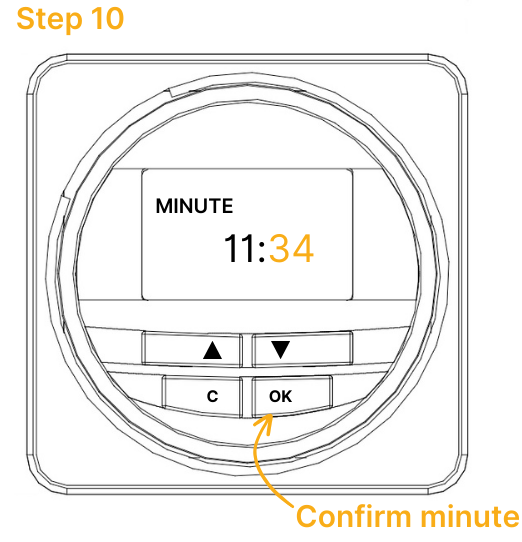
Step 10. Press OK to confirm the minute (you shouldn't need to change this)
Sorted!
You should now see the updated time on the screen.
You're all set.